Applications
Apps to Enhance Photos: Professional Editing on Your Phone
Learn how photo editing apps can quickly and professionally transform your snapshots into creative images, right on your phone. Discover practical tips and essential apps.
Advertisement
Who hasn't taken an amazing photo on their phone and felt the urge to give it a special touch? Editing images directly from your smartphone helps to highlight moments and results.
Many people look for app recommendations for photo editing because they want quick, professional results. Easy access transforms your phone into a powerful portable digital editing station.
Explore this guide and discover how photo editing apps can enhance the quality of your images. Learn tricks and find practical tools to edit with confidence.
Enhance every click using automated and practical features.
When opening one of the photo editing apps, the user notices automatic features that facilitate quick corrections of color, lighting, and sharpness with just one tap.
These functions save time, delivering visible results in seconds, even in photos taken in motion or in low light.
Smart features streamline the editing process.
The automatic brightness adjustment identifies dark areas and corrects them quickly, similar to adjusting a room's light simply by turning a switch.
Color enhancement tools analyze the image's palette to highlight natural tones and smooth out noise, delivering a more vibrant photo without requiring prior experience.
Smart Cutouts detect faces and objects, automatically cutting them out and saving time, perfect for those who need results ready to share.
Specific solutions for challenging environments.
Advanced editors include functions to eliminate haze, correct backlit photos, and enhance details, using simple commands similar to "cleaning the screen" on a cell phone.
Some photo editing apps have perspective correction features, ideal for photos of paintings and cityscapes taken from difficult angles.
With spot retouching tools, it's easy to remove unwanted blemishes or objects, keeping the focus only on the elements that matter in the composition.
| App | Automatic Correction | Smart Cut | Expert Tip |
|---|---|---|---|
| Snapseed | Yes | Yes | Use selective adjustment to control specific areas. |
| VSCO | Yes | No | Combine filters for a unique social media feed look. |
| Photoshop Express | Yes | Yes | Try the noise reduction feature for night photography. |
| Lightroom Mobile | Yes | Yes | Use presets to quickly edit photos in batch. |
| Afterlight | No | No | Enhance your creativity with original textures and frames. |
Achieve natural results with simple manual adjustments.
Manually adjusting image elements offers complete control to achieve the desired style, from striking contrast to a soft, diffused light effect.
Photo editing apps allow you to slide your finger across the screen to modify contrast, saturation, and exponent, all in an intuitive and visual way.
Control tone and contrast in the palm of your hand.
Think about how a painter chooses their colors from a palette – that way you can quickly experiment with different shades to create an authentic look.
Adjusting contrast and sharpness enhances detail. Experiment by increasing each bar and observing the direct impact on the photo until you find the right intensity.
- Adjust the saturation to highlight or soften colors and delight your followers.
- Adjust the contrast to create more or less dramatic photos, adapting the image to the desired style.
- Enhance shadows and highlights to correct photos with dark areas, simulating natural light.
- Use detail recovery tools and avoid losing important textures in light areas.
- Save intermediate versions to compare results and test new adjustments without fear.
With minor manual adjustments, it's easy to transform that ordinary image into a standout in your feed, making photo editing apps your allies when it comes to photos for any occasion.
Personalize effects and filters without losing naturalness.
Applying filters can be effective, but always adjust the intensity to maintain a realistic look, avoiding artificial distortions in the skin and scenery.
Adjust the filter's opacity after applying it, observing in the preview how the tones change and choosing the combination that best suits your style.
- Choose themed filters for specific occasions: vintage for parties, monochrome for serious portraits, colorful for natural settings, etc.
- Use the adjustment brush to apply effects only to desired areas, such as highlighting the sky or smoothing the face.
- Try creating your own presets by saving the combinations you like best, saving time in the future.
- Explore texture filters to simulate paper, old film, grain, or artistic painting effects.
- Combine two layered filters and gradually reduce opacity for unique results.
By experimenting with different levels of effects and filters, users discover unique customization in photo editing apps, without losing balance and naturalness.
Optimize selfies and photos of people to highlight details.
Highlighting features and correcting subtle imperfections makes selfies and portraits more harmonious, without creating artificiality or distorting natural expressions.
Be careful when using skin smoothing products on faces.
Photo editing apps with smoothing functions can beautify the skin, but avoid overdoing it by adjusting the settings only slightly and always comparing the before and after photos.
When you notice a loss of texture or detail, reduce the effect. The intention is to soften imperfections, not erase the unique features of the real face.
Lightly illuminating the face with a dedicated brightness adjustment enhances facial expression, especially when combined with subtle highlighting of the eyes and smile.
Use stain removal tools without compromising the result.
Clicking on blemishes or pimples with the "Spot Heal" tool instantly removes imperfections without requiring much manual skill.
Change the brush size to work on small or large areas and always check the edges, avoiding artificial smudges in the edit.
For group photos, repeat the process individually, ensuring harmony between all faces, balancing the use of photo editing apps for natural portraits.
Try creative techniques for artistic photos on your cell phone.
Using artistic features in photo editing apps can transform casual images into unique and expressive records, perfect for social media and portfolios.
Effects like double exposure combine two images into one, enabling innovative collages. Add a touch of creativity by mixing landscapes, silhouettes, and objects.
Explore collages, overlays, and textures.
Create albums and mosaics by combining photos directly in the editor, aligning formats and aspect ratios to obtain customized layouts.
Add textures such as fine grain, scratches, or crumpled paper to give your final image a special personality.
Overwriting images requires attention: manually blur or soften the edges, integrating the photos harmoniously and without visible "cuts".
Text and stickers enhance creative potential.
Type short phrases or hashtags over the photo to interact with followers, choosing legible fonts and neutral colors so as not to distract from the focus of the image.
Include themed stickers in casual photos, adjusting their size and position to avoid visual clutter and excess.
Save a version without graphic elements to preserve the original photo, expanding possibilities for different uses with versatile photo editing apps.
Save, share, and organize edited photos efficiently.
After editing, keeping photos organized makes it easier to quickly find your best creations, whether for sharing or building digital portfolios.
Create themed albums within the app itself to edit photos, naming them by events, locations, or styles. This speeds up future searches.
Smart sharing directly from the app.
With social media integration, publish directly from the editor to Instagram, WhatsApp, or Facebook, automatically adjusting format and resolution according to the channel.
Choose the ideal quality: higher resolutions for printing, optimized versions to save space on your device, or to quickly send via message.
- Share via private link when you want to control who has access to the final image — useful for professional shoots or sensitive images.
- Use cloud backups to ensure that edits made with photo editing apps are not lost if your phone is changed or lost.
- Schedule automated posts on several platforms, maintaining a regular digital presence without having to manually remember each post.
- Exporting in multiple formats (PNG, JPG, TIFF) allows you to adapt files for networks, high-quality prints, or professional slides.
- Rename edited files with the date, location, and keyword to keep a history that's easy to find in future searches.
Master shortcuts and advanced tips directly from your phone screen.
Knowing the shortcuts and hidden functions in photo editing apps speeds up the editing routine, making the process natural and productive.
Use two-finger gestures to adjust zoom while applying filters; try "undo/redo" shortcuts with quick forward or backward swipe movements.
Configure presets and automate repetitive tasks.
Save favorite editing patterns, creating presets for filters, adjustments, and sizes. One tap reapplies the edit to multiple photos, streamlining batch image processing.
Program batch editing when you need to process multiple identical images: select them all at once and choose the desired set of adjustments.
- Use edit history to compare versions and undo only a specific step without restarting the entire process.
- Take advantage of the copy and paste function to create consistent settings between photos, ensuring uniformity in your feed or travel album.
- Set reminders to review important photos after a few days, making adjustments as needed.
- Create automatic cloud backups of newly edited versions, eliminating the need to remember to save manually.
- Enable notifications to alert you about new features released in photo editing apps, keeping you always up-to-date.
By mastering these tricks, you gain agility and creativity to personalize any photo without wasting time on exhausting manual processes.
Photo editing apps: I turned my phone into a creative hub.
Exploring photo editing apps broadened my perspective on photography, allowing me to transform simple snapshots into impactful images in minutes, with impressive visual quality.
Each feature of these apps adapts to different styles and everyday situations. They make it easy to personalize every click, making editing accessible and fun.
Discovering new tools inspires experimentation, creativity, and sharing. Now, professional editing options are at your fingertips, opening up space for authentic creations.
Trending Topics

How do I request a refund for my taxed Shein products?
Learn how to request a refund from Shein if your purchases in the store are taxed. You can get your money back within 24 hours!
Keep Reading

You may also like
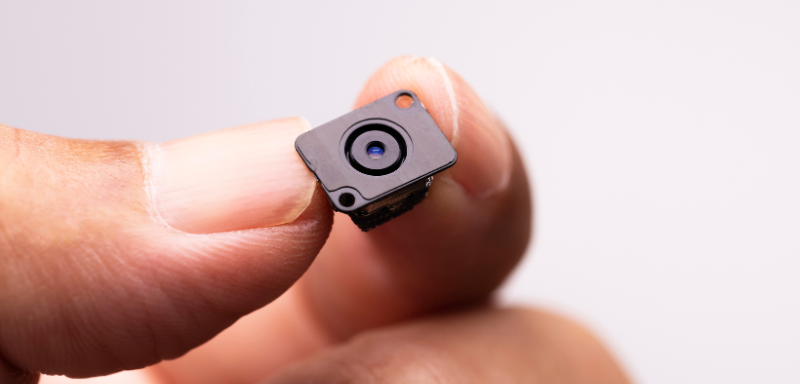
App to detect hidden camera: guarantee your privacy!
If you are afraid of being watched, know that there is a type of app that can help you detect hidden cameras easily!
Keep Reading