Applications
Security Apps: How to Protect Your Cell Phone Against Viruses and Scams
Learn how mobile security apps can protect your data, block viruses, and prevent scams. Check out practical tips to boost your digital security right now.
Advertisement
Have you ever felt that knot in your stomach when you suspected something strange was happening on your phone? Mobile security apps have become part of the daily lives of those who value their privacy.
With banking data, important photos, and countless personal conversations stored on your phone, protecting it has never been more crucial. Virus attacks and scams are constantly evolving, so every button press matters.
In this article, discover practical ways to make your device more secure by taking advantage of real-world features of mobile security apps. Follow the tips and increase your digital protection.
Understanding Digital Dangers: Recognize the risks and know how to react.
By installing mobile security apps, you drastically reduce the chances of losses or fraud by blocking risky behaviors before they occur.
Malware, spyware, and suspicious links have become part of the vocabulary of those seeking protection. This awareness is the first step.
What a Virus Can Do to Your Cell Phone
Each time you access unfamiliar websites, there's a threat of leaking banking data with a single click. Scammers exploit system vulnerabilities, and fake notifications quickly compromise user privacy.
A common example: when downloading apps from outside official app stores, you may receive intrusive ads or your device may start consuming more battery, a sign of a virus running in the background.
Think of it like locking a gate: by keeping a good mobile security app active, you greatly limit the entry of intruders.
Fraud Routine: Practical Escapes
Messages offering prizes or logins to fake banks are frequent traps. Recognizing suspicious URLs is as basic as wearing a seatbelt while driving.
If you suspect a notification, look for tips on the most reliable mobile security app on the market before clicking on it impulsively.
Just like checking your change, keeping the app updated ensures a quick response to threats. Always enable automatic updates.
| Threat | Symptom | Quick Solution | Next Action |
|---|---|---|---|
| Virus | Slow speeds or strange ads | Scan with the updated app. | Remove unknown apps |
| SMS scam | Suspicious links received | Ignore and block the number. | Report to the operator. |
| Phishing | Fake login page | Never enter data. | Change master passwords |
| Spyware | Abnormal data consumption | Check app permissions | Uninstall suspicious apps |
| Improper blocking | Cell phone inaccessible | Restore via recovery | Enable automatic backup |
Immediate Settings: Customize and protect your data first.
Any user can activate basic protections in minutes. Thus, even simple mobile security apps enhance layers of defense.
Configure locking via password, biometrics, or facial recognition. This step makes unauthorized access more difficult right from the first screen.
Roadblocks: First Barrier
Strong passwords, PINs, or biometrics discourage opportunistic attacks. Consider creating non-obvious combinations and avoid using birthdates.
Allow mobile security apps to manage automatic locks. Additionally, disable notification display on the lock screen.
- Create a password that combines letters, numbers, and symbols, strengthening your protection against automated attempts.
- Enable biometric authentication for unlocking and authenticating in sensitive applications, increasing security and speed in daily use.
- Set a timer for automatic locking after a few minutes of inactivity, reducing the window of opportunity for unauthorized access attempts when the phone is left unattended.
- Disable sensitive notifications on the lock screen. This prevents intruders from knowing about your appointments and updates, even without unlocking your device.
- Use mobile security apps to set up remote locks, useful in cases of loss or theft. This feature is free in many reputable apps.
Before storing the device, check if any active restrictions reflect your daily routine. Verify each setting individually, adapting them to your personal and professional schedule.
Permission Limits: Practice monthly reviews.
Mobile security apps make it easy to check the permissions granted to other apps. This allows you to block unauthorized access to your microphone or photos without realizing it.
Review, for example, camera, location, and contact permissions. Only leave them active when the app truly needs to use the feature.
- When receiving a request from a new app to access your microphone or location, evaluate whether it's truly necessary. Always deny it if it works without that feature.
- Disable permissions for old apps. This prevents forgotten apps from acting as gateways for increasingly creative scams and malware.
- Enable real-time alerts offered by the best mobile security apps when an app attempts to use sensitive resources without prior authorization.
- Review all permissions monthly in the settings screen, filtering out unknown or outdated apps and deleting unnecessary ones immediately.
- Track real-time reports from mobile security apps, prioritizing apps that identify suspicious data usage or alert you to out-of-the-ordinary activity.
List essential permissions and monitor frequent usage. The habit of reviewing permissions reduces silent risks and increases your peace of mind about what runs in the background.
Detection Technologies: Detail how apps "think" in your defense.
Modern AI-based solutions warn of threats before they even cause damage to the device. Today's mobile security apps use proactive scanning for unknown threats.
These technologies create automated barriers, acting immediately upon detecting unexpected behavior. The user benefits from a faster response.
Constant Updates: Why This Matters
Detection programs only show maximum efficiency when used in updated versions. Updates integrate new threat databases and eliminate old vulnerabilities without manual intervention.
The automatic update feature for mobile security apps requires just a few clicks, but makes a huge difference in daily protection.
If possible, schedule a weekly check for updates, ensuring your device is always protected without requiring any effort beyond the initial setup.
Behavior Analysis: Real-time Action
Mobile security apps monitor network traffic and app installations. They compare patterns and identify suspicious commands, blocking them before you notice any damage.
In the case of scams where links attempt to download files automatically, behavioral analysis interrupts the download and issues an instant alert so the user can decide what to do.
This type of feature is essential for families with children, who tend to click out of curiosity and deserve active protection from reliable mobile security apps.
Advanced Tools: Little-known features and how to activate them.
Many mobile security apps go beyond the basics, offering extra features to enhance protection in various everyday digital scenarios.
Utilize features such as integrated VPN, Wi-Fi analysis, and protection against social engineering apps, expanding your control over connections and shared data.
VPN: Secure mode even on public Wi-Fi.
Using a VPN encrypts your browsing, even in cafes or airports. Browse, make bank transfers, and access personal photos with guaranteed privacy.
Enable VPN through your mobile security app whenever you access unknown networks. The interface usually has a simple and straightforward button, activating in seconds.
When disconnecting from the VPN, the app may notify you. This makes it clear that browsing has returned to normal mode, practicing continuous control.
Anti-Phishing Protection: Automatic Defense
This technology analyzes links received in messages, social networks, and emails. Mobile security applications monitor attempts to deceive users with fake pages.
Upon identifying potential fraud, the app blocks access or issues an alert. This gives you the confidence to only click when the protection is active.
It functions as a filter that separates true information from potentially harmful information. It requires no user action beyond keeping the application configured.
Good Daily Practices: Adopt habits that strengthen your protection.
Conscious behaviors, combined with the use of mobile security apps, make any device much less prone to infections or data loss.
Turn tips into routine. Also explain them to friends and family, expanding the culture of digital security within your social circle.
Installation Standard: Never download unknown apps.
Prioritize downloads exclusively from official app stores, such as Google Play and the App Store. This reduces the risk of installing viruses hidden in fake applications.
Be wary of APK files received via messages or groups, even if recommended by acquaintances. Installing them directly in this way can compromise your device without warning.
Always check the reputation of mobile security apps by reading reviews and ratings from other users before installing a new one.
Caution When Sharing Data: Help family members develop a mental filter.
Your data is valuable. Educate children and the elderly about common scams, especially those involving links and attachments received on social media or via SMS.
Explain that no reputable company requests bank details, passwords, or transfers via direct message. Practice this explanation consistently.
Exchange ideas about verification methods before clicking or sharing information on websites, reinforcing the importance of mobile security apps in these checks.
Quick Answer: What to do if you suspect suspicious activity on your cell phone.
Noticing unusual behavior on your device requires immediate action. Mobile security apps offer automated procedures that make decision-making easier at this critical moment.
Act without hesitation when faced with persistent crashes, intrusive ads, or unusual battery drain. These are clear signs that something is wrong.
Immediate Reaction: Follow these simple steps.
Open your mobile security app and start a full scan. Keep your phone connected to the internet for better detection.
Remove recently installed apps, especially if you don't know where they came from. Restart your device after the cleanup recommended by the app.
Change your main passwords, especially for banks and social media. Enable two-step authentication if available for each online service you use.
Technical Support: When to seek specialized help
If the infection persists even after all attempts, contact the support team of the mobile security application you are using or seek authorized technical assistance.
Avoid solutions found in unfamiliar videos or forums, as they may worsen the situation. Opt for reliable and authorized help whenever possible.
Ask for detailed instructions on what to do in specific situations, such as a frozen screen or remote access attempts that are not recognized by the user.
Final Reflection on Digital Security Culture
Securing your smartphone goes far beyond simply installing any app. It's a daily commitment, including frequent review of the installed mobile security applications.
Your attention to detail, in settings, permissions, and daily habits, determines how well your privacy and data will be protected against current digital threats.
Always remember that mindful care is not a difficult task, but rather an essential step to ensure the integrity of everything that is in your pocket every day.
Trending Topics
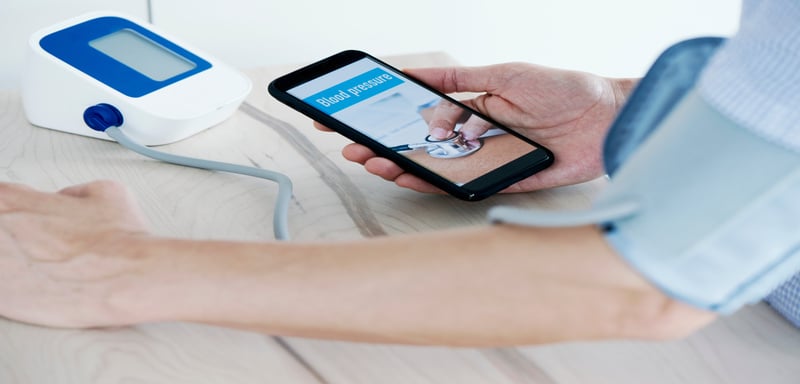
App to record blood pressure: check out the best options
Are you looking for an app to measure your blood pressure? Check out the best options for recording and monitoring your blood pressure.
Keep Reading

Other apps show you strangers, Happn connects you with people you've already seen. Which one do you prefer?
Happn is the ideal dating app for those looking to meet people who have crossed their path. See how it works in a simple way.
Keep ReadingYou may also like


How to Avoid Common Mistakes When Searching for a Job Online: A Practical Guide to Success in Your Search
Keep Reading

Amazon is Hiring – Starting Salaries up to $25/hour!
Amazon has thousands of job openings! Salaries up to $25/hour and exclusive benefits. Find open positions to start right away!
Keep Reading


